Add this to `proftpd.conf` and restart `proftpd`: TLSOptions NoSessionReuseRequired
ProFTPd: 425 Unable to build data connection: Operation not permitted

Add this to `proftpd.conf` and restart `proftpd`: TLSOptions NoSessionReuseRequired
A Facebook user asked how to forbid write access to an external USB drive, allowing only for read-only access. This article explains how to do that with the help of udev.
During an intrusion, an intruder leaves signs of his actions in various system logs. Without reliable logs, it could be very difficult to figure out how the attacker got in, or where the attack came from. This information is crucial in analyzing the incident. It is evident that the logs are a valuable audit trail that should be well protected.
Of course, when an intruder gets in to the system, they will try to remove all traces. So, how can we stop an intruder from removing evidence?

BREACH (Browser Reconnaissance and Exfiltration via Adaptive Compression of Hypertext) is a security exploit against HTTPS when using HTTP compression. This article shows several ways to deal with BREACH using Length Hiding technique with nginx’s builtin modules.

When using Cloudflare to hide IP address of the origin server (for example, to protect against DoS attacks), it is important to configure ACLs to allow connections to the origin server only from Cloudflare IPs. However, the list of Cloudflare IP ranges is not static, it changes over time. This post describes how to import this list into nginx automatically.
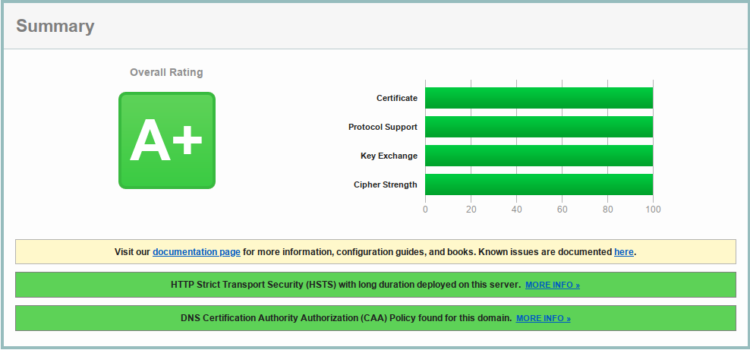
This article provides a configuration for nginx that successfully passes SSL Labs tests with A or A+ mark, and 100% score for all metrics (certificate, protocol support, key exchange, cipher strength).
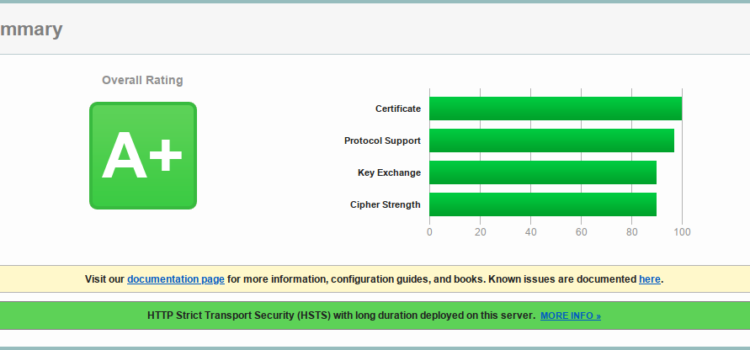
This post presents a TLS configuration for nginx to get A+ score in HTBridge and SSL Labs tests. According to HTBridge, this configuration is compliant with PCI DSS, NIST, and HIPAA guidelines.

The article describes a few pitfalls I encountered when trying to upgrade from Ubuntu 16.04.5 (LTS) to Ubuntu 18.04.1 (LTS) and possible solutions.
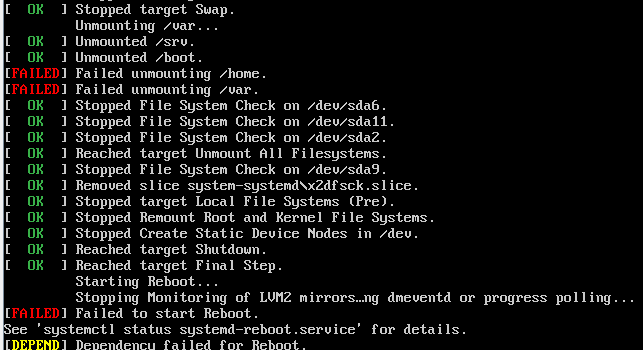
After upgrading from the latest Ubuntu 16.04 LTS to Ubuntu 18.04.1 LTS, the server refused to reboot. I had to use IPMI to connect to the otherwise unresponsive server and forcibly reboot it. I probably should have used sync; reboot

Many times my colleagues have asked me how to change SSH port on CentOS 7, because the way they did it themselves resulted in failures of OpenSSH to start. This happened because of SELinux, and the post explains how to overcome the issue without turning SELinux off.