A simple addon for Node.js that provides bindings to inet_ntop() and inet_pton() functions
inet_xtoy: inet_ntop() and inet_pton() bindings for Node.js

A simple addon for Node.js that provides bindings to inet_ntop() and inet_pton() functions
This post describes how to serialize a FormData object to JSON and how to fill the form back with the serialized data.
When you go to the Dashboard of your WordPress site, WordPress checks whether your browser is up-to-date, and displays a notice if it is not. However, the browser check is performed by an external site. WP sends such data as: visitor’s user agent string, WordPress version, and the URL of the blog (and, implicitly, its IP address). Unfortunately, there is no way to opt out of that in the Dashboard. Luckily, there is a solution.

By default, WordPress allows an unauthenticated user to view the list of the registered users with the help of the REST API. But, for example, to view the list of the users in the Dashboard, the user needs to have `list_users` capability (that is, be an Administrator). While the REST API does not expose sensitive information (such as emails) to unauthenticated users, it may be desirable to restrict `users` endpoint form unauthenticated users.
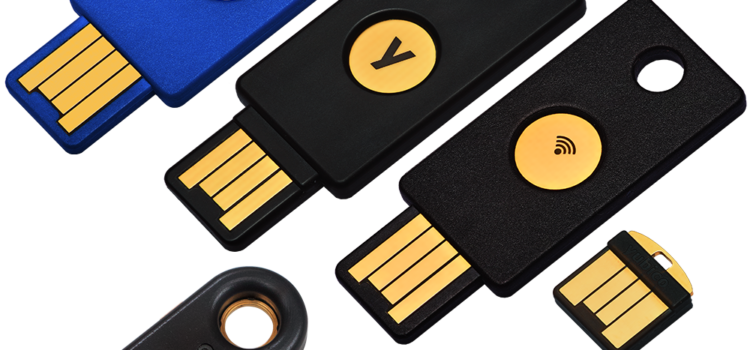
We live in a world where data is an incredibly valuable currency, and you are always at risk of loss. Because of this, you must do everything you can to ensure what you hold on your desktops and servers is safe. If you are looking to lock down your Linux servers and desktops as tight as possible, you should consider to make use of two-factor authentication. This article explains how to configure two factor authentication using pam_u2f.

Add this to `proftpd.conf` and restart `proftpd`: TLSOptions NoSessionReuseRequired
A CORS proxy is a service that allows sites to access resources from other websites, without having to own that website in case when no `Access-Control-Allow-Origin` header is present on the requested resource. This article shows how to create one with the help of nginx and without writing a single line of code.
SQLite Session Extension provides a convenient way to create “diffs” between two versions of a table. These “diffs” are binary and are usually much more compact than their SQL counterparts. This article shows how to create and apply such “diffs” to tables.
A Facebook user asked how to forbid write access to an external USB drive, allowing only for read-only access. This article explains how to do that with the help of udev.
During an intrusion, an intruder leaves signs of his actions in various system logs. Without reliable logs, it could be very difficult to figure out how the attacker got in, or where the attack came from. This information is crucial in analyzing the incident. It is evident that the logs are a valuable audit trail that should be well protected.
Of course, when an intruder gets in to the system, they will try to remove all traces. So, how can we stop an intruder from removing evidence?